
Use the right tool for the job.
Most CMMS are built for reporting. Samurai is built for how maintenance actually happens — captured on site, by the crew, as the work gets done.
- Forms that update records automatically
- Hour-based servicing & component tracking
- Crews + contractors in one system
- Mobile workflows crews actually use
For earthmoving, plant hire, and civil fleets — when the work spreads across sites, spreadsheets stop keeping up.

Sound familiar?
Most maintenance systems expect the office to fill in what happened on site
- Crews do the job in the field and write it up after shift, if they remember the detail.
- Nobody can say what a machine costs to run per hour.
- Remote sites have no signal, so crews stop using the app.
- Service history sits in a spreadsheet, a few notebooks, and someone’s memory.
- Machines break down before anyone notices the service was due.
- Contractors do a big share of the work, and none of it reaches your records.
Maintenance people built Samurai CMMS to close these gaps. Record the work once, and let the same data drive your reporting, costing, and compliance.
The Fix
The records keep up with the crew
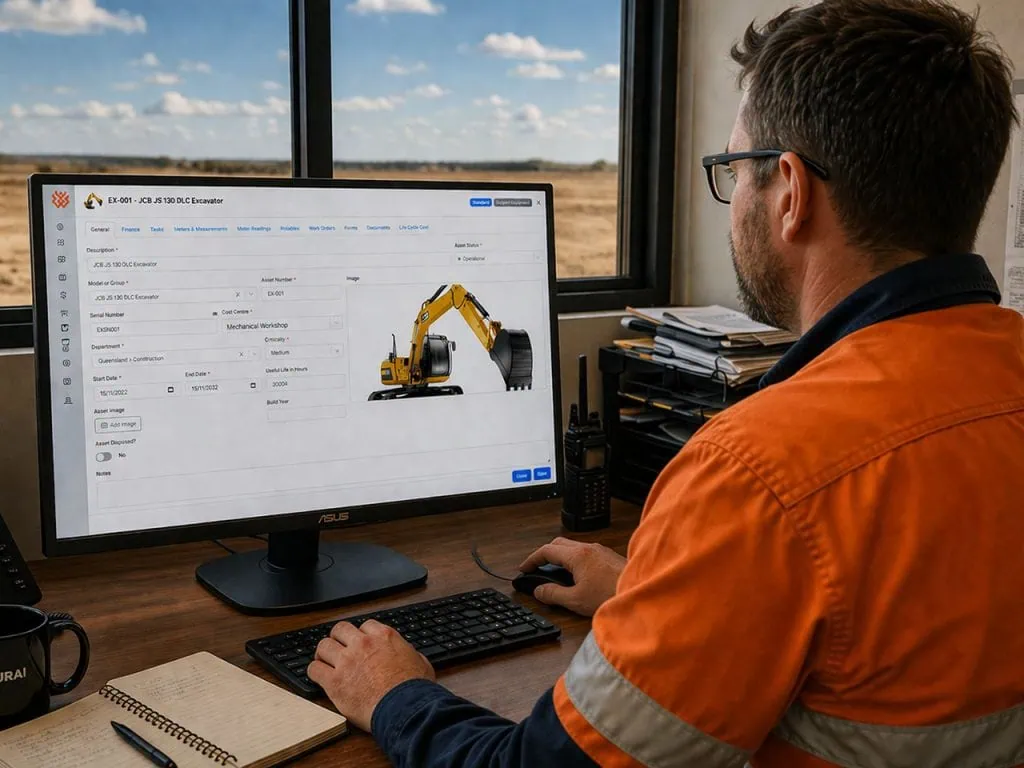
Fitters record work, inspections, and parts at the machine using a phone or tablet. Supervisors get real-time visibility across the site, with work orders, downtime, and asset history updated as the work happens. The result? Accurate records without the end-of-shift scramble to piece together what happened.
- The problem
Your crew works at the machine. The system expects someone to enter it back at the office. - What Samurai does
Mobile-first, role-aware workflows guide the crew through the job, so they record it once, online or off. - What you get
Live work order status, full service history per machine, cost per hour, and an audit record for every job.
<div style="display: flex; gap: 15px; align-items: center; justify-content: space-between; flex-wrap: wrap;">
<div style="flex: 1; min-width: 250px;">
</div>
<div>
<a href="tel:+61739150894" style="background-color: #f26522; color: #ffffff; padding: 12px 20px; text-decoration: none; border-radius: 4px; font-weight: 600; display: inline-block; white-space: nowrap;">Contact Us</a>
</div>
</div>
What your maintenance operation gets out of it
Less unplanned downtime
Samurai schedules services by machine hours or calendar and tracks them to completion, so your crew does them before a machine fails.
The real cost per machine
Parts, labour, and services add up to a life cycle cost per hour for every asset, so you can base a replace-or-rebuild decision on numbers.
Off spreadsheets for good
Work orders, inspections, parts, components, and history all live in one system.
Work that doesn’t need signal
Crews record jobs, inspections, and parts offline on remote sites, and everything syncs when the device is back in range.
Contractors inside the system
Your contractors work in the same system as your own crew, with no per-seat licence fee.
Audit-ready history, automatically
Samurai records every inspection, part, and service against the asset as your crew works, so the compliance evidence is there when you need it.
<div style="display: flex; gap: 15px; align-items: center; justify-content: space-between; flex-wrap: wrap;">
<div style="flex: 1; min-width: 250px;">
</div>
<div>
<a href="tel:+61739150894" style="background-color: #f26522; color: #ffffff; padding: 12px 20px; text-decoration: none; border-radius: 4px; font-weight: 600; display: inline-block; white-space: nowrap;">Contact Us</a>
</div>
</div>
Inside Samurai CMMS
The screens your crew would use
Every screenshot below comes from the product.

Log a breakdown at the machine
The fitter opens the job on their phone and sees the asset, department, priority, scheduled and due dates, and the inspection that goes with it. They set the status, fill in the form, and record the parts. The asset history updates straight away.
- The fitter sets Open, On Hold, In Progress, or Complete with one tap
- The inspection sits on the work order and shows how far through it they are
- Works offline on site and syncs when the device is back in range
Preventive services that stay on schedule
Every asset carries its own schedule: 250, 500, 1,000, and 2,000 hour services, component change-outs, and statutory tasks, each with a frequency, a next due date, and a cost.
- Set services by machine hours or calendar, per asset
- Samurai works out task cost and life cycle cost per task, then totals them per machine
- Plan component change-outs alongside routine servicing

See what each machine costs per hour
Life cycle cost per hour, split into parts, labour, and services, with the maintenance ratio and the cost curve across the machine’s life. You get the numbers for a replace-or-rebuild decision without exporting to a spreadsheet.
- Total, parts, labour, and services cost per hour, per asset
- Maintenance ratio visible at a glance
- Forward cost across the asset’s life, as well as what you have spent

Inspections and forms that don’t get lost
Pre-starts, site inspections, thermal image checks, and on/off hire forms all report into one dashboard. You can see what is in progress, what has sat for more than 30 days, what is complete, and which forms your crews use most.
- Pre-start and site inspections completed on any device
- Forms sit on the work order
- On/off hire forms handled in the same system as maintenance

Why Samurai
A CMMS built for the dirt, not the boardroom
Most maintenance software was built for the factory floor, then adapted for mobile plant. Samurai was built for mobile plant from the start.
Built for heavy equipment
The workflows follow how earthmoving, civil construction, plant hire, and mining crews work.
Mobile-first and role-aware
Fitters, supervisors, and planners each get an interface that suits their job.
Runs offline in the field
Your crew records the work on remote sites with no coverage, and everything syncs when the device is back in range.
Contractors without licence fees
Your contractors work in the same system as your crew, and you pay no per-seat licence fee for their access.
Live without a six-month project
Upload asset lists, parts, and tasks in the format you already have. Samurai maps and validates them for you to approve, so you do not spend weeks structuring data first.
An Australian team, on the tools
A maintenance leader with more than 30 years in mining founded Samurai, and the team works out of Brisbane.
What users say
From the people using it on site
Most maintenance software was built for the factory floor, then adapted for mobile plant. Samurai was built for mobile plant from the start.
30+ years on the tools
Founded by Anthony Murphy, a mining maintenance leader and industry advisor.
Deployed across 40 sites
ASG Equipment rolled Samurai out to standardise inspections, bring in contractor work, and improve component tracking.
Backed by Matolin Group
Seed investment supporting ongoing product development and growth.
Australian, from Brisbane
Samurai Software Pty Ltd, Level 4, 260 Queen Street, Brisbane QLD 4000.
Before you enquire
The questions we get asked most
Who is Samurai CMMS for?
Earthmoving, civil construction, plant hire, and mining operations running mobile plant and heavy equipment, from a handful of machines to fleets spread across multiple sites. If your maintenance happens at the machine, Samurai will suit you.
What happens on the demo?
You’ll see the workflows fitters, supervisors, and planners use, on the kind of fleet you run, so you come away with a clear view of what would change for your operation.
How quickly can we be up and running?
Setup is where most CMMS projects get stuck. You can upload asset lists, parts, and maintenance tasks in the format you already have, and Samurai maps and validates them for you to approve. That removes weeks of manual data work and the need for outside consultants. We’ll talk through timing for your fleet on the demo.
Will it work on remote sites with no signal?
Yes. Crews record work orders, inspections, and parts offline on any device, and everything syncs when they’re back in range. It’s one of the main reasons mining and civil crews use it.
Can our contractors use it too?
Yes. Your contractors work in the same system as your own crew, and you pay no per-seat licence fee for their access.
What happens after I submit the form?
It goes to the Samurai team in Brisbane, who will be in touch to arrange a demo time that suits your crew. If you’d rather talk straight away, call 07 3915 0894.
Book a free demo
Ready to take control of your maintenance?
See Samurai CMMS running the way your crew would use it: work orders, pre-start inspections, parts, and cost per machine, on the kind of fleet you run.
- Pre-start and site inspections completed on any device
- Forms sit on the work order
- On/off hire forms handled in the same system as maintenance