
- Work Order Software, Asset Tracking, and CMMS: What’s the Difference?
- What Field Maintenance Teams Actually Need
- The Shortlist
- Evaluation Checklist
- FAQs
- The Bottom Line
Search for “work order software” and you’ll end up looking at asset tracking tools. Search for asset tracking and you’ll land on CMMS platforms. The categories overlap, vendors blur the lines, and buyers often end up with something that handles one side of the problem well and ignores the other entirely.
This article cuts through that. It explains what each category actually does, then evaluates five tools specifically for field maintenance teams managing heavy or earthmoving equipment.
Work Order Software, Asset Tracking, and CMMS: What’s the Difference?
Work order software manages the job. It lets you create, assign, schedule, and close maintenance tasks — capturing what was done, who did it, what parts were used, and how long it took. The best systems capture that during the work, not after the shift ends.
Asset tracking software manages location and status. It tells you where a piece of equipment is, whether it’s deployed, idle, or under repair, and sometimes what condition it’s in. Some tools use GPS or QR codes; others rely on manual updates.
CMMS (Computerised Maintenance Management System) combines both. A CMMS handles work orders, maintenance history, parts inventory, and often inspections — all tied back to individual assets. It’s the operational layer that keeps equipment maintained and documented.
EAM (Enterprise Asset Management) goes further, covering the full financial lifecycle of an asset from acquisition to disposal: depreciation, procurement, capital planning. Most field maintenance teams don’t need that. They need a CMMS that works on a job site.
The distinction matters in practice. A tool that only tracks asset location won’t help you manage a PM schedule or close a work order. And a work order tool with no asset history won’t tell you whether that dozer has had the same hydraulic fault three times in six months.
What Field Maintenance Teams Actually Need
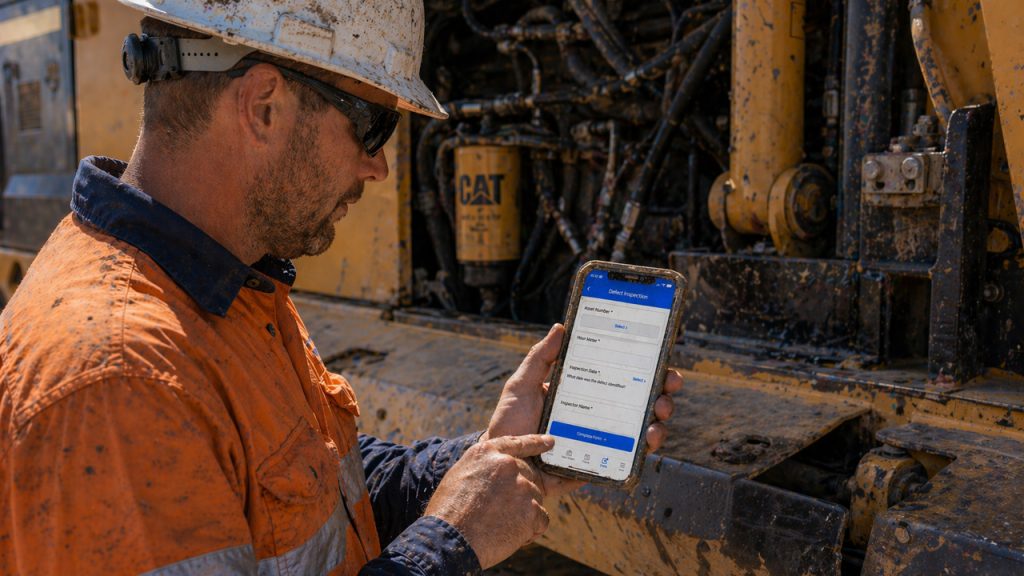
Field maintenance is different from facilities or manufacturing. Your team is mobile. Equipment moves between sites. Work happens in the dirt, not near a desktop. Pre-start checks need to be done before a machine moves, not typed up at the end of the day.
A useful tool for field maintenance needs to do at least the following:
- Create and assign work orders from the field, not just the office
- Capture completed work against the specific asset, not a generic job number
- Track component history — engines, transmissions, ground engaging tools — separately from the machine
- Support mobile access for fitters and operators without requiring a trip back to the workshop
- Flag failed inspections automatically and tie them to the asset record
- Maintain a single history per asset across all work, inspections, and parts
With that as the baseline, here’s how five tools compare.
The Shortlist
Samurai CMMS
Built specifically for earthmoving and heavy equipment fleets in mining, civil contracting, and plant hire. Not a general CMMS adapted for construction — the workflows reflect how field maintenance actually operates.
Work order depth: High. Work orders are created, assigned, and closed in the field via mobile. Parts used, labour, and fault notes are captured during the job, and everything ties back to the asset’s maintenance history automatically.
Asset and component tracking depth: High. Samurai tracks high-value components — engines, transmissions, rotables — separately from the machine, including usage hours, changeouts, remaining life, and full rotable history. Life cycle costing is built in, giving you total cost of ownership per asset, not just per job.
Field maintenance fit: Purpose-built. Pre-start inspections are completed on mobile, flagged instantly if failed, and tied to the asset. Shift logs, contractor management, and a plant hire operating system are all included. Australian-built and hosted.
Best for: Maintenance managers running 20 to 200 heavy assets in Australia who need work orders, component tracking, and asset history in one place.
Learn more at samurai-cmms.com
Fleetio
A well-regarded fleet management platform with solid work order functionality and good mobile access.
Work order depth: Moderate to high. Work orders are straightforward to create and assign, service history is captured per vehicle, and the mobile app works well.
Asset and component tracking depth: Low for heavy equipment. Fleetio is built for on-road vehicle fleets. There’s no component lifecycle tracking for engines or transmissions, and no construction-site workflows. It handles odometer and engine hours reasonably well, but doesn’t go deeper than that.
Field maintenance fit: Limited. For a fleet of trucks and light vehicles, Fleetio is a strong option. For excavators, dozers, or graders, the platform wasn’t designed for that environment and it shows.
Best for: Mixed fleets with a high proportion of on-road vehicles.
HCSS Equipment360
Purpose-built for heavy construction, with strong work order management and solid integration with HCSS’s broader construction management suite.
Work order depth: High. Work orders, PM scheduling, and fault reporting are all well handled, with genuine depth for heavy equipment environments.
Asset and component tracking depth: Moderate to high. Component tracking exists, but it sits inside a larger enterprise suite. Getting full value from Equipment360 typically means adopting other HCSS modules alongside it.
Field maintenance fit: Good, but the implementation overhead is significant. HCSS is primarily an enterprise product serving large North American contractors. For Australian businesses running under 200 assets, the cost and complexity may outweigh the benefit.
Best for: Large construction contractors already running HCSS’s broader platform.
MaintainX
A modern, mobile-first work order platform that has gained traction in manufacturing and facilities maintenance.
Work order depth: High. MaintainX has a strong work order interface, good mobile access, and solid procedure management. It’s genuinely practical to use.
Asset and component tracking depth: Low to moderate. Asset history depth is limited on lower-tier plans, and there’s no component lifecycle tracking for heavy equipment. The platform was designed for facilities and manufacturing, not construction sites.
Field maintenance fit: Partial. MaintainX works well for workshop-based or fixed-plant environments. For mobile field crews managing earthmoving equipment across multiple sites, the absence of construction-specific workflows and component tracking is a real gap.
Best for: Facilities, manufacturing, or light industrial teams.
itemit
An asset tracking platform that uses QR codes, RFID, and GPS to track the location and status of physical assets.
Work order depth: Low. itemit is an asset tracking tool, not a CMMS. It handles location, check-in/check-out, and asset registers well. Work order management isn’t what it’s built for.
Asset and component tracking depth: Moderate for location and status. itemit is good at telling you where an asset is and who has it. It doesn’t track maintenance history, component lifecycles, or PM schedules.
Field maintenance fit: Useful as a standalone asset register or for tracking tools and equipment across sites. Not a replacement for a CMMS if you need work orders, inspections, or maintenance history.
Best for: Teams that need an asset register and location tracking, not maintenance management.
Evaluation Checklist
Use this when comparing any tool for field maintenance:
- Does it support work order creation and closure from a mobile device in the field?
- Does it capture parts used, labour, and fault notes against the specific asset?
- Does it track component lifecycles — engines, transmissions, major components — separately from the machine?
- Does it support pre-start inspections on mobile, with automatic flagging of failures?
- Does it maintain a single, complete history per asset across all work and inspections?
- Does it support PM scheduling based on hours, kilometres, or calendar?
- Does it work for field crews without requiring desktop access?
- Is it designed for your industry, or adapted from a different one?
If a tool can’t answer yes to most of those, it’s probably the wrong category of software for your needs.
FAQs
What is the difference between a CMMS and asset tracking software?
A CMMS manages maintenance work — work orders, inspections, parts, and asset history. Asset tracking software manages location and status. Some CMMS platforms include basic location tracking; most asset tracking tools don’t include work order management or maintenance history.
Do field maintenance teams need a CMMS or an EAM?
Most field maintenance teams need a CMMS, not a full EAM. EAM covers financial lifecycle management including depreciation and procurement. A CMMS covers the operational side — keeping equipment maintained, documented, and compliant. If you’re running a fleet of earthmoving equipment, a CMMS built for that environment will serve you better than a generic EAM.
Can work order software work without internet access on site?
It depends on the platform. Some mobile CMMS apps support offline mode, letting field crews complete work orders and inspections without a connection and sync when they’re back in range. Worth confirming before you commit to any tool.
What should I look for in component tracking for heavy equipment?
You want a system that tracks high-value components — engines, transmissions, hydraulic pumps, ground engaging tools — separately from the machine they’re fitted to. That means tracking usage hours, changeout dates, remaining life, and the full history of where a component has been. Most general CMMS platforms don’t go to that level.
Is Fleetio suitable for earthmoving fleets?
Fleetio works well for on-road and mixed vehicle fleets. It wasn’t designed for earthmoving or construction-site workflows, and it lacks the component lifecycle tracking and field-specific features that heavy equipment maintenance requires.
How do I know if a CMMS is built for construction or adapted from something else?
Look at the default workflows. Does it have pre-start check templates for earthmoving equipment? Does it track components like engines and transmissions? Does it support shift logs and contractor management? If the answer is no, it was likely built for a different industry and adjusted to fit.
What’s the best way to evaluate a CMMS for a field maintenance team?
Run a demo with your actual use cases, not a scripted walkthrough. Bring a work order from last week, a component that’s been rebuilt twice, and a pre-start failure scenario. See how the system handles all three. If it can’t, keep looking.
The Bottom Line
Work order management and asset tracking are related but different problems. The right tool for a field maintenance team solves both — in a way that reflects how maintenance actually happens on a construction site or mine, not how it happens in a factory or office building.
If you’re running earthmoving equipment and need work orders, component tracking, and asset history in one place, Samurai CMMS was built for exactly that. Book a demo at samurai-cmms.com to see how it handles your specific fleet.
Ready to take control of your maintenance?
Samurai helps earthmoving and mining fleets capture maintenance properly at the source, reduce downtime, and stay in control of cost and performance across every site.