
CMMS Software Australia: A Comparison Guide for Earthmoving, Mining and Construction Fleets
Choosing the right CMMS software in Australia depends on how your business manages maintenance.
If you’re managing earthmoving, civil, mining, and construction fleets, consider how well each platform supports fieldwork, monitors component usage and life cycles, and keeps information accurate and up to date.
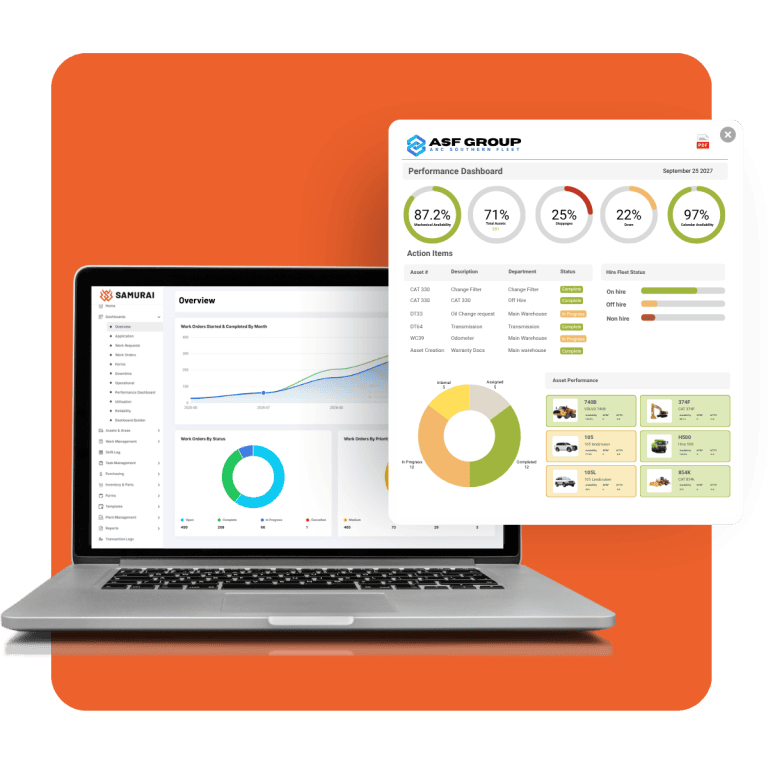
Samurai CMMS is a Brisbane-based provider of maintenance management software for heavy equipment, with plans starting at $49 per user/month.
Curious if Samurai is the right fit for your business? Here’s what to look for in a CMMS comparison before you shortlist.

What is CMMS Software?
CMMS stands for Computerised Maintenance Management System. It’s software that helps businesses organise maintenance work, keep track of equipment and record what’s been done, when and on which asset.
It brings things like work orders, maintenance schedules, inspections, labour and parts together, so you can see what’s happening across your equipment and keep a record of its maintenance history.
However, for earthmoving, civil, mining, and construction businesses, there’s a bit more to consider. A CMMS should make it easier to navigate and manage maintenance across multiple sites, accurately keeping track of equipment usage and downtime. This ensures that everyone can access the same up-to-date information without relying on scattered records or paperwork.
<div style="display: flex; gap: 15px; align-items: center; justify-content: space-between; flex-wrap: wrap;">
<div style="flex: 1; min-width: 250px;">
</div>
<div>
<a href="tel:+61739150894" style="background-color: #f26522; color: #ffffff; padding: 12px 20px; text-decoration: none; border-radius: 4px; font-weight: 600; display: inline-block; white-space: nowrap;">Contact Us</a>
</div>
</div>

Why Generic CMMS Falls Short for Australian Earthmoving Fleets
- Inconsistent records across sites
- Different inspection processes
- Contractor work is harder to track
- Limited component tracking
- More administrative work as the fleet grows
<div style="display: flex; gap: 15px; align-items: center; justify-content: space-between; flex-wrap: wrap;">
<div style="flex: 1; min-width: 250px;">
</div>
<div>
<a href="tel:+61739150894" style="background-color: #f26522; color: #ffffff; padding: 12px 20px; text-decoration: none; border-radius: 4px; font-weight: 600; display: inline-block; white-space: nowrap;">Contact Us</a>
</div>
</div>
CMMS Software Australia Comparison: What to Check Before You Shortlist
Look beyond the feature list when comparing CMMS software. Think about how well each system supports your crew and whether it gives you better visibility over maintenance activity and costs.
Here are a few key questions to ask yourself before investing in a CMMS:
Does it capture maintenance in the field as it happens?
Will the crew actually use it?
Does it track component life and rebuild cycles?
Can contractors work inside the same system?
What does it cost, per user and over the asset's life?
Samurai CMMS vs MEX
MEX is one of the CMMS platforms many Australian businesses consider when reviewing their maintenance software options.
It’s worth comparing how each system handles maintenance out in the field, particularly when equipment is spread across multiple work sites, and tasks are carried out by both internal and external crews and contractors.
| Capability | MEX CMMS | Samurai CMMS |
|---|---|---|
| Best suited to | Multiple industries | Earthmoving and plant hire |
| Maintenance capture | Review field recording options | Work recorded in the field as it happens |
| Mobile workflows | Assess mobile and offline functionality | Mobile-first iOS and Android apps, with offline functionality |
| Servicing schedules | Often calendar-based | Hour-based servicing for mobile equipment |
| Digital forms | Review custom form capabilities | User-defined mobile forms for inspections and compliance |
| Component management | Check component and rotables tracking | Components and rebuilds built in, with rotables management as a Business and Enterprise add-on |
| Contractor access | Confirm contractor access and licence costs | Contractor access by secure link, with no extra licence cost |
| Downtime tracking | Often reconstructed from work orders later | Captured as real site events |
| Life-cycle costing | Check asset cost tracking and forecasting | Real-time life-cycle costing for every asset |
See How Samurai Handles Your Fleet
Get a clearer picture of maintenance across your fleet with Samurai CMMS. Book a demo to see how it works for your equipment and team, or compare plans starting at $49 per user/month.